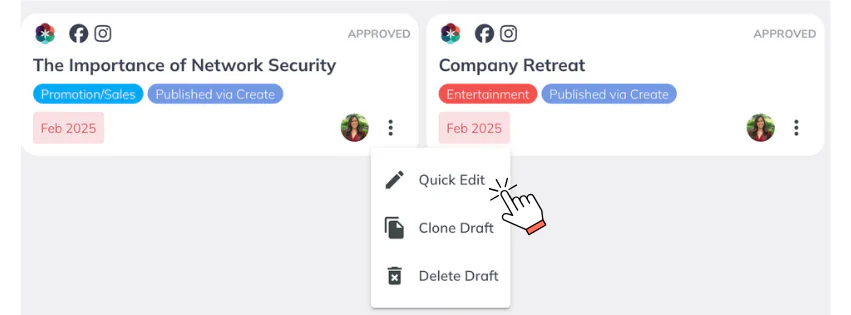
Quick actions are essential features in Create that help streamline your content workflows. These actions allow you to perform common tasks quickly and efficiently, saving you time and effort as you manage drafts.The following quick actions are available:
Quick Edit: Make quick changes to your draft without opening it fully.
Clone Draft: Create an exact copy of your draft, ideal for reuse or versioning.
Delete Draft: Remove a draft that is no longer needed
 All About Draft Card Quick Actions